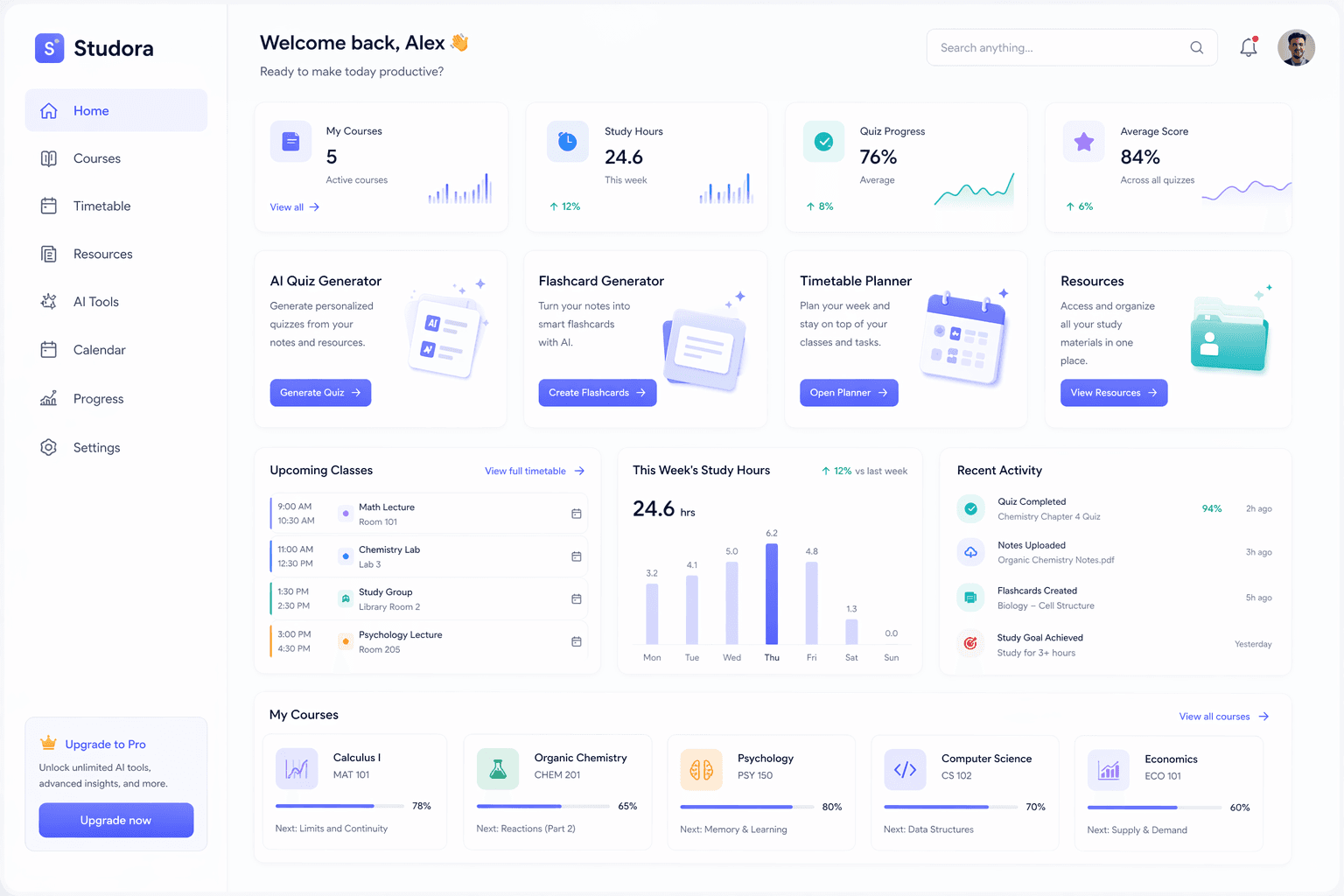
Early access for the student resource feed

One student hub for
resources, posts, and profiles.

Studora helps Nigerian students discover course resources, past questions, lecture notes, and useful uploads through a social feed built around schools, departments, comments, reactions, saves, downloads, and public profiles.

Trusted By Student Communities

Built for focused learners, campus teams, and modern study culture.

Studora supports structured learning with organized resources, Sage study support, and a calm workspace for academic progress.

SG

Scholars Guild

Academic support

Academic ecosystem partner
CU

Campus Union

Student services

Academic ecosystem partner
SS

Study Senate

Peer learning

Academic ecosystem partner
SG

Scholars Guild

Academic support

Academic ecosystem partner
CU

Campus Union

Student services

Academic ecosystem partner
SS

Study Senate

Peer learning

Academic ecosystem partner
LB

Learning Board

Academic planning

Academic ecosystem partner
UN

Uni Network

Campus community

Academic ecosystem partner
CC

Course Circle

Shared resources

Academic ecosystem partner
LB

Learning Board

Academic planning

Academic ecosystem partner
UN

Uni Network

Campus community

Academic ecosystem partner
CC

Course Circle

Shared resources

Academic ecosystem partner

Resource network

Academic resources, shared like a campus feed.

Studora is now centered on helping students discover, upload, discuss, save, preview, and download school materials. Your home feed can show resources from your university and useful materials from other Nigerian universities.

Post resources like updates

Upload notes, handouts, lab guides, and past questions into a feed students can react to.

Open contributor profiles

See uploads, saves, activity, badges, and the resources a person or department has shared.

Preview before downloading

Open PDF previews, related resources, quick actions, saves, shares, and downloads.

CS

Computer Science Dept.

@csc.2h
University of Lagos
CSC 203200L

Data Structures Lecture Notes.pdf

Comprehensive notes covering arrays, linked lists, stacks, queues, and exam-style examples.

PDF

Lecture Note

Preview the file, save it, download it, or open the full discussion.

158124312K
MT

Michael Tunde

@michael_tunde.2h
Federal University of Technology
MEE 312300L

Thermodynamics Past Questions 2021-2024

Solved questions with worked steps, marking hints, and common mistakes to avoid.

PDF

Past Question

Preview the file, save it, download it, or open the full discussion.

2210439018K

How Studora helps

Built around how students actually find materials.

The core workflow is finding resources, understanding who shared them, discussing them, and keeping the best materials close.

Start with your school

Onboarding uses your faculty, department, level, and semester to shape what you see first.

Join resource discussions

Open posts, preview files, comment, react, save, share, and follow useful uploaders.

Explore beyond campus

Use the across-universities feed to find relevant materials from other schools in Nigeria.

How it works

From onboarding to the right material.

Studora starts by understanding where you study, then turns academic resources into a searchable, social feed you keep coming back to.

01

Set up your academic profile

Choose your faculty, department, level, and semester so Studora can personalise your resource feed.

02

Browse your resource feeds

Switch between resources from your university and materials from other Nigerian universities.

03

Discuss, save, and study

Open posts, comment, react, preview files, download resources, and ask Sage when deeper study help is needed.

Sage and study utilities

One AI assistant, fewer confusing choices.

Once a student finds a note or post, Sage handles the AI study work while GPA tracking and timetable planning stay as simple academic utilities.

Sage

Ask notes, posts, and bookmarks

GPA calculator

Track your grades

Timetable planner

Plan classes clearly

Student feedback

Built for the way students already share materials.

The product direction is simple: make academic uploads easier to find, trust, discuss, save, and study from.

"Finding notes in a feed makes more sense than digging through random group chats."

Ada N.

Computer Science, 200L

University of Lagos

"I like that I can open a resource, see who uploaded it, save it, and check the comments before downloading."

Michael O.

Mechanical Engineering, 300L

FUTO

"The across-universities feed is useful when my department does not have enough past questions yet."

Ruth E.

Social Sciences, 100L

University of Ibadan

Waitlist open

Join early. Help shape what ships first.

Studora is still being sharpened. The waitlist lets us measure real student demand and build around the workflows students actually use every week.

Shape the first version

Tell us which parts of student life feel most broken so the product solves real weekly problems first.

Get early access updates

Students on the waitlist get the clearest view of what is shipping and when access starts to open up.

Show real campus demand

Waitlist responses reveal which schools, levels, and study needs are strongest right now.

What we want to learn

Strong interest is more useful than empty signups.

The waitlist helps us prioritize what matters most instead of building in the dark.

We're tracking

01Your school or campus
02Your level or year
03Your biggest study workflow problem
04The feature you want most from Studora

FAQs

Questions students ask before joining.

Short answers about resources, university coverage, onboarding, and the role of Sage inside Studora.

Yes. Students can start with the core experience for free and then upgrade later if they need more Sage access, document context, saved history, or expanded study support.

Join the waitlist

Be early to the student resource network.

Join now so we know which schools and departments need resources first, then get notified when access starts rolling out.

Resource uploadsUniversity feedsAccess updates